
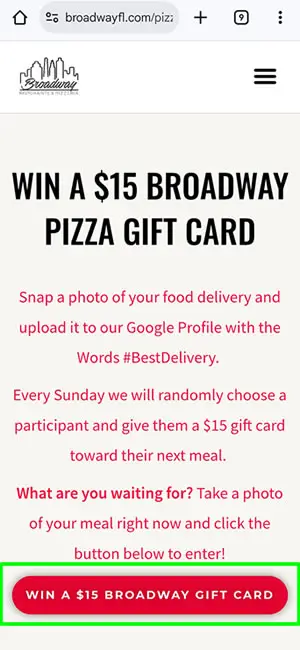
Win a $15 Broadway Pizza gift card
Snap a photo of your food delivery and upload it to our Google Profile with the Words #BestDelivery.
Every Sunday we will randomly choose a participant and give them a $15 gift card toward their next meal.
What are you waiting for? Take a photo of your meal right now and click the button below to enter!
How does it work?
1st step: Snap a Photo Of Your Take-Out or Delivery
2nd step: Click the button
Click the “win a $15 Broadway Gift Card” Button at the top of this page. It will take you to Broadway on Google Maps.
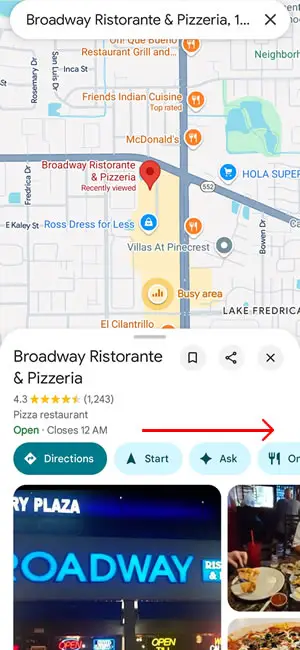
3rd step: Scroll right side and find the "posts" button.
There are many buttons to choose from. For a chance to win a weekly $15 Broadway gift card, you will need to sroll to the right until you find the “posts” button.
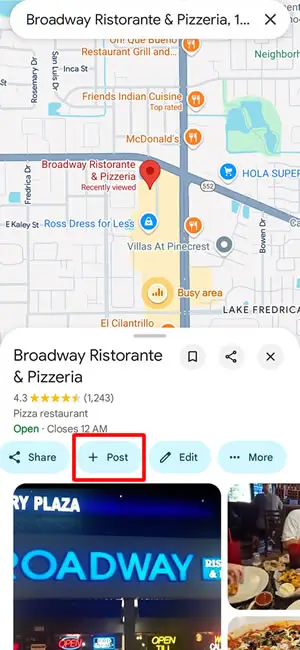
4th: Click on the [ + Post ] Button
When you select the post button, you’ll be able to write either a review or share a photo. In this case we want you to simply share a photo of the food you ordered.
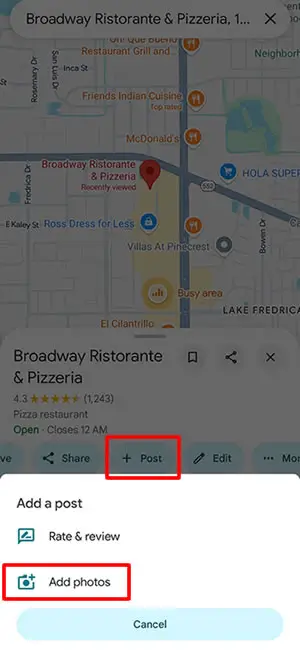
5th: Select "Add Photos"
Click on the “Add Photos” option to find the photo of the food you just took.
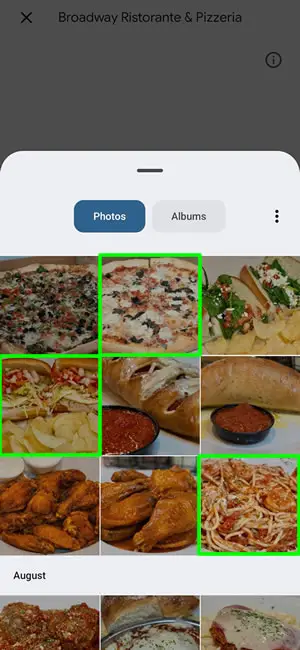
6th: Select your food photos
Select the photos you would like to share of your food from Broadway.
7th: Mention Your Food and click post
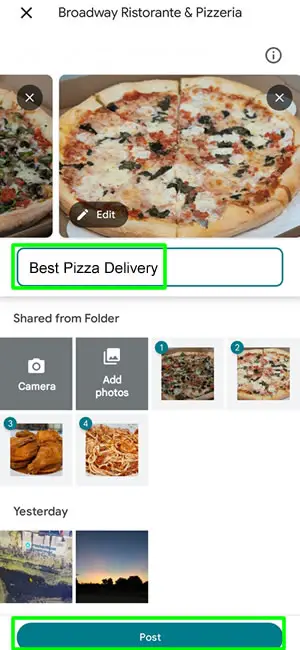
Mention the type of food inside the picture.
If you ordered delivery, write Best [Food] Delivery.
If you Ordered Take-Out, write best [Food] Take Out.
In this case we wrote “Best Pizza Delivery”.
Then click “Post” and you’re done!
*Note Google may have some questions for you after your post.
Finally: enjoy your food and wait till sunday to see if you won
Every Sunday we will check who posted photos during the week on our profile. We will then randomly select someone from that week to give a gift card to. If your profile is chosen, be sure to come back to claim your gift card!